Plug and Play
Your computer recognizes the buzzer as a keyboard. You don’t need an additional driver.
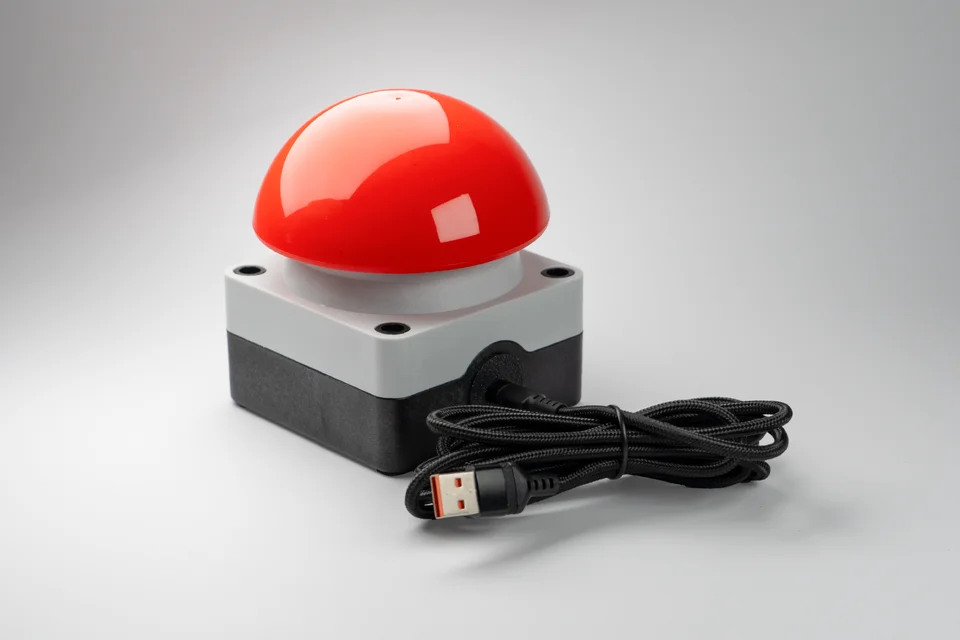
This buzzer works like a keyboard with computers, tablets and smartphones. Connect via USB, set your key and get started. You can change it anytime.
★★★★★5.025 reviews on Etsy · Over 200 orders ↗Available now · Delivery in 3–7 business days
Your computer recognizes the buzzer as a keyboard. You don’t need an additional driver.
You can configure the key in your browser. Alternatively, you can configure the buzzer offline without software. Find out how here.
You can use multiple buzzers on the same computer at the same time. Simply assign a different key to each one.
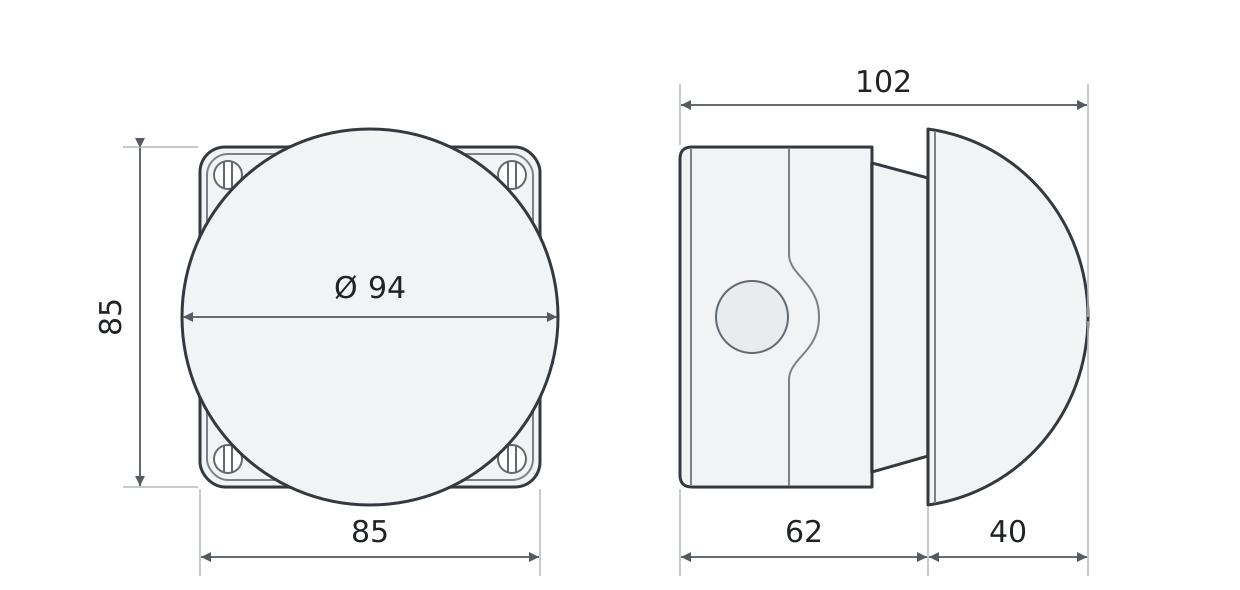
Top and side views · All dimensions in mm
The USB buzzer does not play a sound itself. It sends a keypress to your computer. Your software can trigger a sound or another action.
Secure-Lock is designed for public events or spaces, such as a museum. The cable is attached so that nobody can remove it.
Yes! You can easily use several buzzers on one PC. Just assign different keys to them.
Yes, as long as the right port is available, usually USB-C. This is the case with newer iPads and most Android tablets.
Yes, we are a registered business in Germany. Simply enter your billing address when ordering.
No! You don’t even need Chrome or Edge for configuration; it is simply the easiest option. You can also configure it offline without software. Learn more here. Either way, the buzzer remembers its configuration and can be used on any computer. As long as you can connect the buzzer to your device, you can configure it.